What is a prompt?
A prompt is the message or instruction you give to the AI. The clearer and more detailed it is, the better the result.
Golden rule: the AI cannot read your mind. Write everything clearly.

The pro structure: the ideal prompt
A professional prompt has key parts. When you use them all, the AI understands you like a teammate.
- Role: who the AI should act as
- Task: what you want it to do
- Context: important background
- Format: how the output should look
- Constraints: what to avoid
Example 1: weak vs strong
Compare a vague prompt to a professional one:
Weak:
"Make me a website"

Strong:
"You are a senior frontend engineer.
Build a landing page for a digital marketing agency.
Use HTML + CSS + JavaScript.
Design: dark theme with gold accents.
Must be responsive on mobile.
Sections: Hero, Services, Portfolio, Contact.
No external frameworks."
Example 2: debugging prompt
"I am working on a Laravel 11 project.
Here is the API endpoint:
[paste code]

Error message:
[paste error]

Expected: return user JSON.
Explain the cause and provide a fix."
Example 3: learning prompt
"Explain async/await in JavaScript.
I am a beginner.
Use real-life examples.
Then give me 3 practical code examples.
Finally, give me a small exercise."
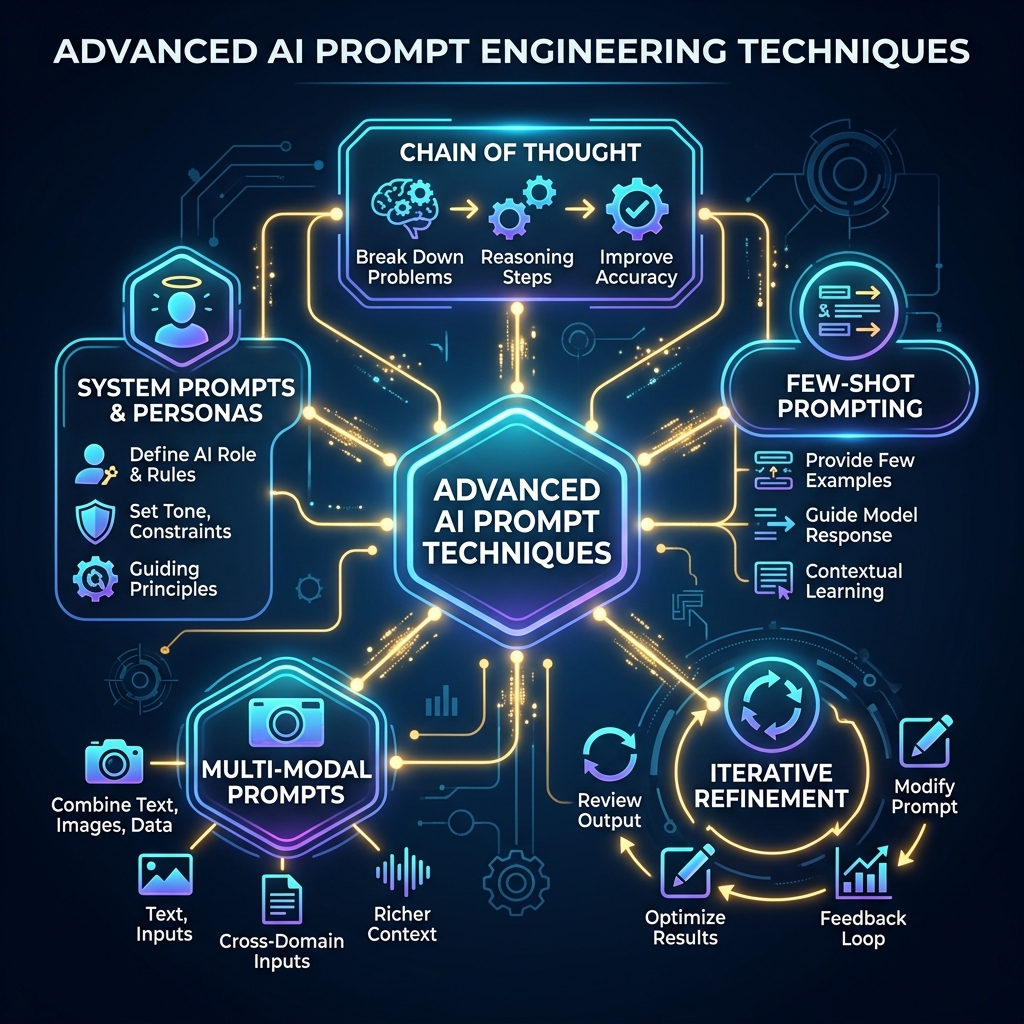
Advanced techniques
- Chain of thought: ask for step-by-step reasoning
- Few-shot: provide examples first
- Iterative: start simple, then refine
- Multi-modal: combine images and text
- System prompts: define a consistent role
Common mistakes to avoid
- Vague requests without details
- Not specifying language or framework
- Copying code without understanding
- Not testing the output
- Over-relying on AI without learning
✅ Summary
Prompting is a skill that improves with practice. Clarity + detail + examples = great results.